

PIN Pads
The device on the customer's side of the counter that takes the card and the PIN while the register runs the sale. The PIN pads available here connect to the register or POS the store already uses, so the amount passes over automatically and nothing is re-keyed, and the card data stays on the pad instead of the register software. Android touchscreen pads bring signature capture, cameras and prompt screens to the lane; compact keypad pads fit where counter space is tight; semi-integrated lane devices carry high-traffic checkouts. Every pad ships with the encryption keys, cable build and software load chosen at order, so it can take debit on day one.
Paygasus carries Castles, Valor PayTech, Dejavoo, Ingenico, Equinox and more. Browse the pads below, or request a quote that confirms the fit with the register, the processor and the lane.
- ✔ Authorized source, manufacturer warranty on every unit
- ✔ Key injection, cable build and software load set at order
- ✔ Talk to a specialist before you buy
- ✔ Shop all POS devices
-
Image coming soon
Valor PayTech VP300 PRO Pin Pad
Retail PIN pad with 5 inch touchscreen and signature capture that integrates with existing ECR systems.
More details$291.43 -
Image coming soon
Valor PayTech VP350 Pin Pad
Android PIN pad with 5 inch touchscreen that pairs with existing POS systems over Wi-Fi, Ethernet, or serial.
More details$342.00 -
Image coming soon
Ingenico LANE 3600 Terminal without Camera - Wi-Fi, Ethernet
Compact PIN pad terminal on Telium TETRA that integrates into retail and hospitality checkouts.
More details$518.40 -
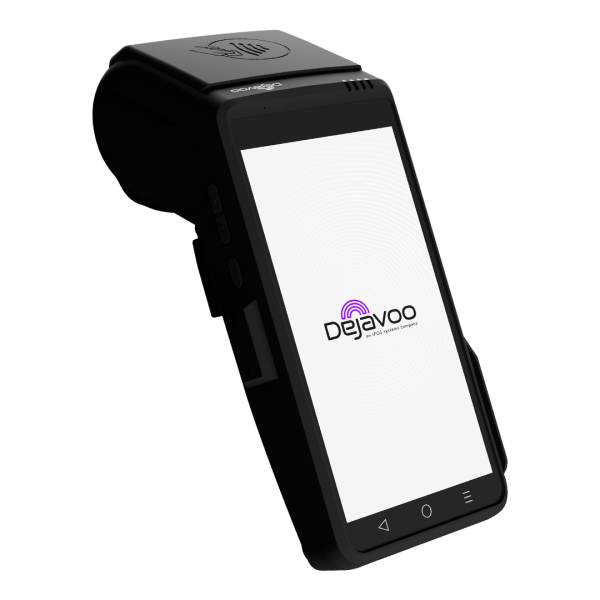
Dejavoo Systems QD5 Android - Wi-Fi, Ethernet, USB
Android PIN pad with barcode scanner and mounting plate for multi-lane and stand-alone counters.
More details$306.00 -
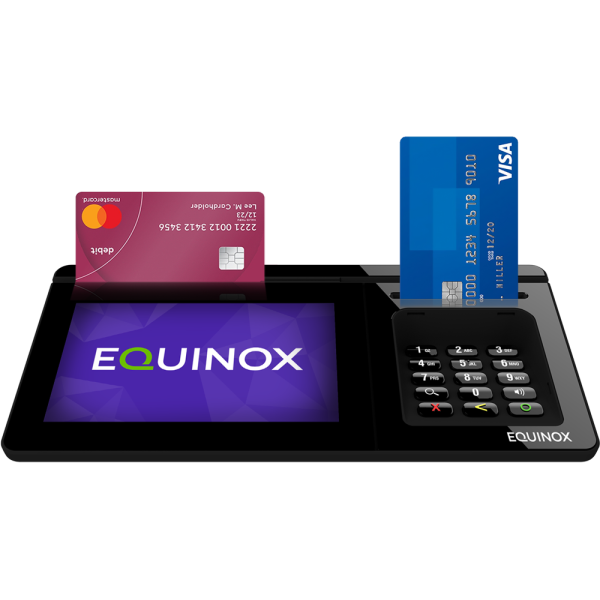
Equinox Luxe 8500i Semi-Integrated Device - USB, Ethernet
Semi-integrated terminal with 5 inch HD display and top-mounted card reader for high-traffic lanes.
More details$548.40 -
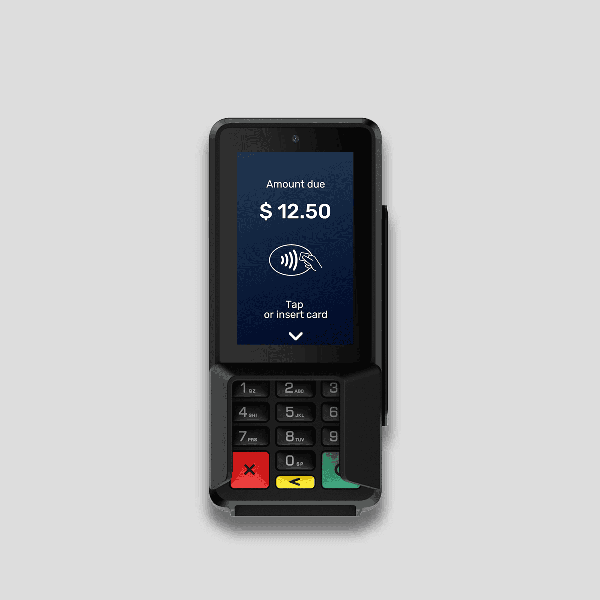
Castles S1P2 Wireless Terminal (Without I/O) - 4G, Wi-Fi, Bluetooth, LAN
Android 13 PIN pad that takes chip, contactless, magstripe, and QR payments over 4G, Wi-Fi, Bluetooth, or LAN.
More details$206.40
No products match these filters.
Pad or Terminal: Which Device Runs the Sale
A payment terminal runs the transaction itself: the cashier keys the amount, the terminal talks to the processor, and a printer on the unit prints the receipt. A PIN pad does not. The register or POS sends it the amount, the customer taps, inserts or swipes and enters a PIN on the pad, and the pad returns the result. The register never touches the card number, which keeps the POS software out of the sensitive part of the sale and makes the pad the right device for any counter that already has a register in place.
- ✔ Choose a PIN pad when a register, POS or ECR already runs the lane and needs a customer-facing device.
- ✔ Choose a payment terminal when the device must run the sale on its own, print its own receipt or leave the counter.
Connecting to the Register You Have
- ✔ Wired. USB and Ethernet on most units, RS232 serial on units built for older registers, so the pad plugs into the port the register has.
- ✔ Wireless. Wi-Fi on Android units for counters where a cable run is not practical, and 4G on units that double as floor devices.
- ✔ Software load. Some pads are ordered with a specific middleware or gateway build so the register's payment software recognizes them without custom work. The product page lists the builds offered.
- ✔ Processor check. Compatibility is confirmed per device, per software load and per processor before the order is placed, never assumed.
Key Injection, Explained
A PIN pad encrypts the PIN with a key that belongs to the processor or bank behind the merchant account. Until that key is loaded, the pad reads cards but cannot take PIN debit or EBT. Key injection is the step that loads it, and it is chosen as a configuration on each product page here, so the pad arrives ready for the account it will serve. Units that support remote key injection can take or change keys in the lane without a return trip.
Touchscreen, Keypad, Signature and Camera
- ✔ Compact keypad pads with a small color display and raised keys, for a tight lane or a counter where the customer needs tactile keys.
- ✔ Android touchscreen pads with 5 to 5.5 inch displays, digital signature capture, built-in cameras for QR and barcode, and prompt screens for tips, donations and receipts.
- ✔ Semi-integrated lane devices with a horizontal HD touch display and a top-mounted card reader, laid out for the pace of a high-traffic lane.
- ✔ Acceptance on all of them: EMV chip, contactless and mobile wallets, magstripe, and PIN entry.
PCI PTS 6.x and the 5.x Sunset
Every pad carries a PCI PTS approval version. Approvals for 5.x devices expire in April 2027 and no new 5.x approvals are being issued; 6.x approvals run years beyond that. The expiry applies to the approval, not to a device already on a counter, but a fleet bought today should be 6.x wherever the register supports it. The approval version is listed on each product page.
Mounting and Lane Hardware
- ✔ Mounting plates that anchor the pad at the lane, included on some units and matched on others.
- ✔ Swivel and pole stands that turn the pad to the customer and lift it off the counter.
- ✔ Privacy shields for PIN entry at open counters.
- ✔ Power. Powered USB from the register, a power supply, or an Ethernet power bundle, chosen at order.
- ✔ One pad per lane as the rule; a pad with a mounting plate serves either a multi-lane position or a stand-alone counter.
Frequently Asked Questions
Will a PIN pad work with the register or POS already on the counter?
Most do, over USB, Ethernet or serial, and some need a specific software load to be recognized. A specialist confirms the register, the software and the processor against the pad before it ships.
Does a PIN pad need a printer?
No. The register prints the receipt. A pad has no printer, which is part of why it fits a lane a terminal will not.
What does semi-integrated mean?
The register sends the amount to the pad and the pad handles the card and PIN, so the register software never sees the card number. It is the normal way a pad and a POS work together.
Who loads the encryption keys?
The key comes from the processor or bank on the account. It is loaded as a configuration chosen on the product page, and some units can take keys remotely in the lane.
Which cable comes with the pad?
The one that matches the connection chosen at order, USB, Ethernet or serial. Power options are chosen with it.
Is a stand required?
No, but a counter that faces the customer usually wants one. Mounting plates and stands are matched to the unit on the quote.
Can one pad serve two lanes?
No. Each lane needs its own pad. A pad with a mounting plate can serve a multi-lane position or a stand-alone counter, but not both at once.
What happens to 5.x pads in April 2027?
Their PCI PTS approval expires, meaning no new approvals and a signal to plan replacement. The device does not switch off. New purchases should be 6.x wherever the register supports it.